Restaurant websites that sell

Online ordering, made simple for local restaurants.

Foodlycart gives restaurants a fast website with menu browsing, pickup and delivery ordering, coupons, and order handling without marketplace fees.

Static Fast pages ready before publishing
Own brand Restaurant domain and customer flow
No app Works directly in the browser
Illustration of online takeaway ordering on a phone
Built for the dinner rush Customers can choose dishes, delivery details, and checkout from a mobile-friendly ordering flow.

Everything a restaurant needs to receive orders online.

Foodlycart focuses on the practical workflow: publish a menu, receive orders, keep customers informed, and manage daily changes quickly.

1

Online menu

Show dishes, categories, images, options, allergens, and limited-time offers in a layout that works on phones and desktops.

2

Pickup and delivery

Let customers select fulfillment type, enter their address, and understand delivery fees and minimum order values.

3

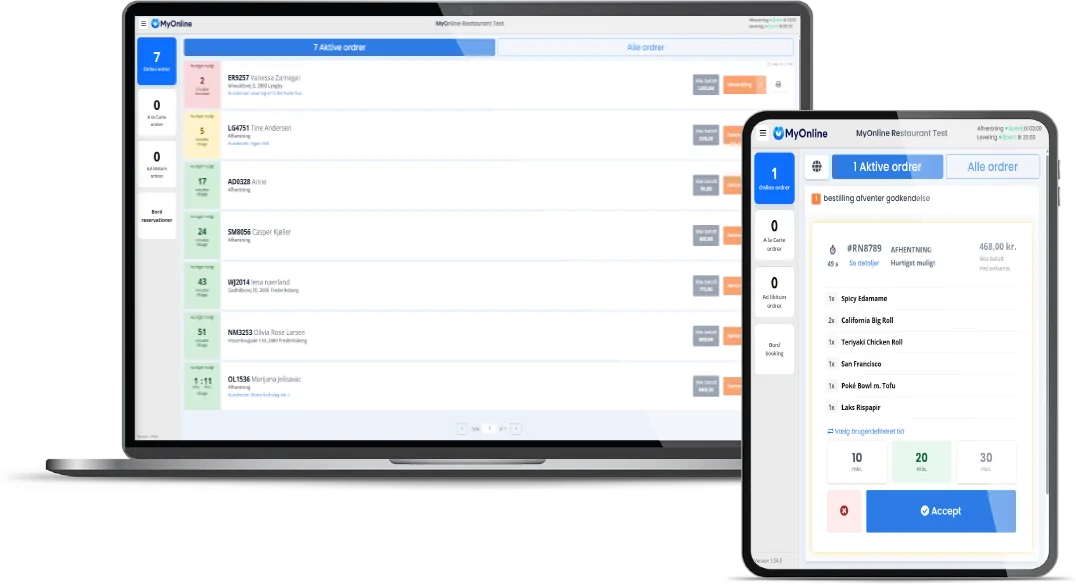
Order dashboard

Restaurants can accept, decline, and prepare incoming orders from a simple screen at the counter.

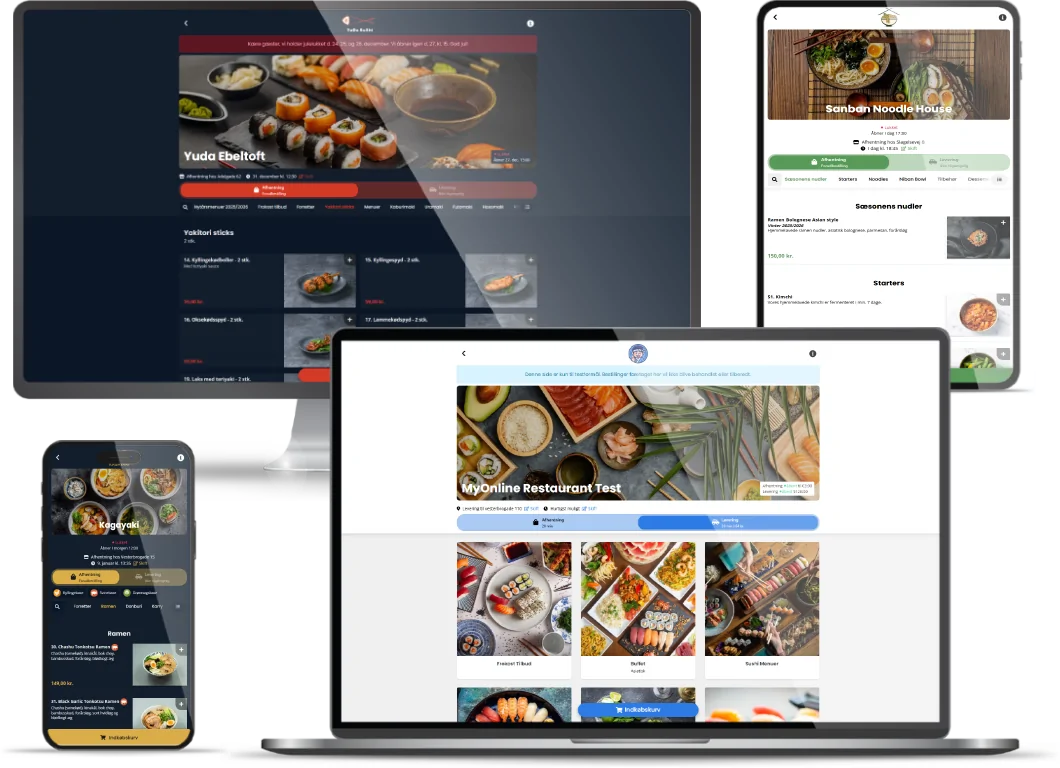
Foodlycart online shop shown on laptop, desktop, and phones

Your restaurant, your website

A branded ordering experience across every screen.

Customers order from the restaurant website, not a generic marketplace page. That keeps the experience direct, fast, and easier to remember.

  • Mobile-first ordering for busy customers.
  • Clean category navigation for large menus.
  • Restaurant branding, photos, opening hours, and order settings.

Operational control

Tools for menu changes, campaigns, and daily decisions.

Foodlycart is designed for restaurants that need to update prices, disable sold-out items, run coupons, and follow sales without waiting on a developer.

  • Manage product categories and menu items.
  • Run discounts and coupon campaigns.
  • See activity and performance in a focused dashboard.
Foodlycart control panel interface

From first call to published website.

Simple enough for a small restaurant, structured enough for repeatable customer website launches.

1

Collect content

Menu, photos, opening hours, delivery areas, and restaurant details.

2

Build pages

Create the static website with the public pages already generated as HTML.

3

Connect domain

Point the restaurant domain through CloudFront with HTTPS enabled.

4

Launch orders

Publish the website and let the restaurant receive orders directly.

Ready to test a restaurant ordering website?

Book a demo