Menu management
Create categories, products, descriptions, prices, images, variants, and add-ons for each restaurant.
Feature overview
Foodlycart gives restaurants the essentials for taking direct orders online without making the daily workflow heavier.
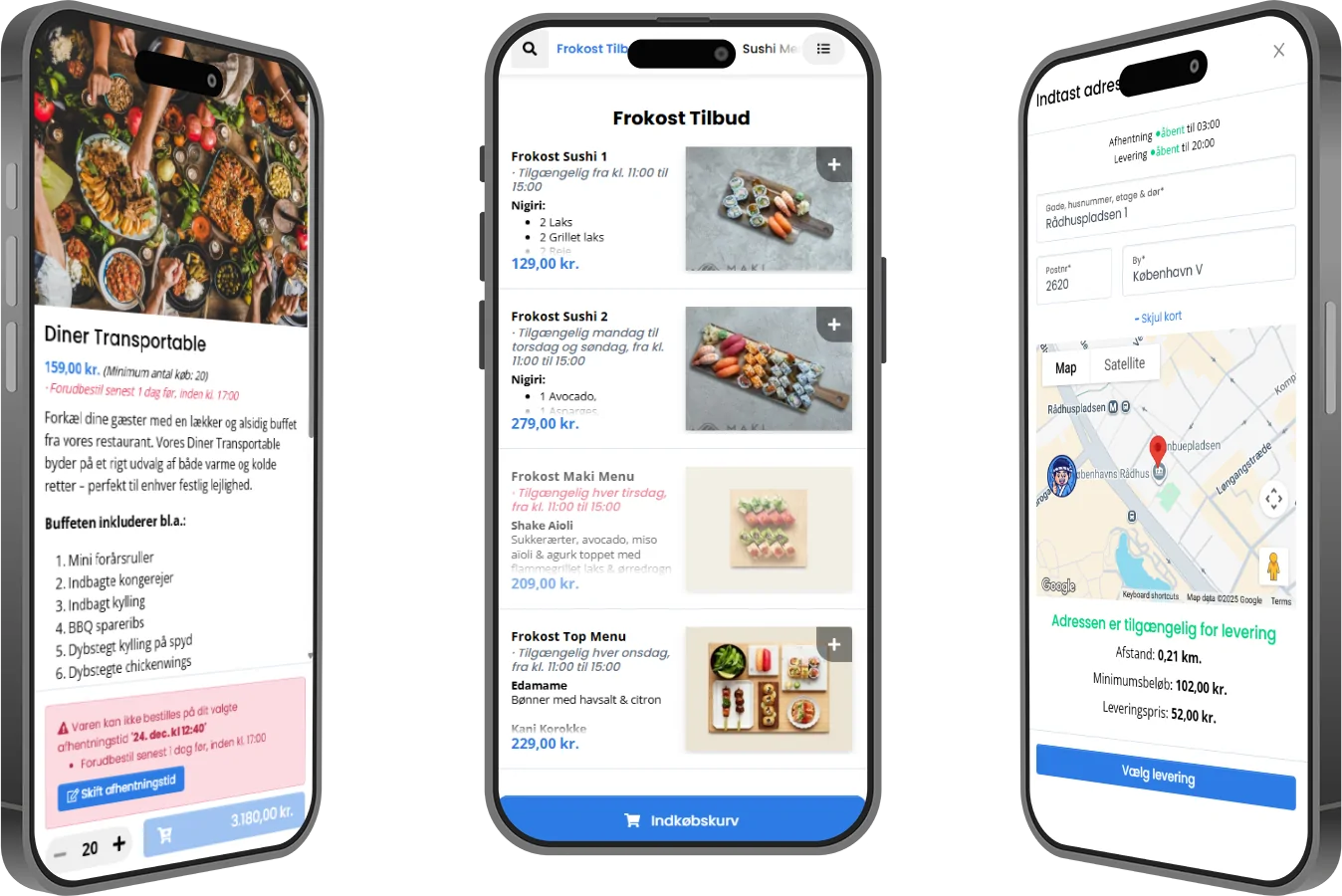
Create categories, products, descriptions, prices, images, variants, and add-ons for each restaurant.
Control pickup times, delivery availability, opening hours, lunch offers, and preorder rules.
Define delivery zones, minimum order values, delivery fees, and customer address validation.
Run campaigns for new customers, loyal guests, slow weekdays, or seasonal menus.
Receive incoming orders, accept or decline them, and keep the front desk aligned during rush hours.
Follow order volume, revenue, popular dishes, and simple trends that help owners make decisions.
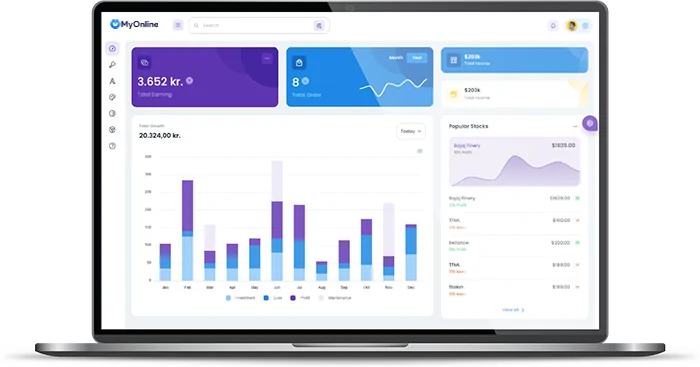
Know what is selling
Restaurant owners need quick answers: what sold, when orders arrived, and which menu items deserve attention.